
TROUBLESHOOTING Expert Solutions for Smooth Operation
Mechanical Problem
Action

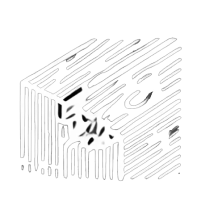
Chipped scratch wood
Fill scratch with woodfiller, apply stain to color After the stain has dried, apply a protective topcoat, such as polyurethane or varnish, to seal the surface and enhance durability. Lightly sand between coats for a smooth finish, and ensure proper drying time between each layer. (Potential cause : transport, bumped)

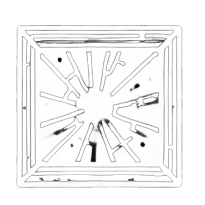
Broken glass/Mirror

Glass replacement procedure Remove the panel and carefully detach the trimming. Take out the broken glass or mirror, then install the new glass or mirror. Reattach the trimming and reassemble the panel. (Potential cause : transport, bumped)

Doors not aligned

Hinge adjusment processr Begin by removing the caps from the hinges. Next, use an L key to adjust the hinges to the desired position. Once the hinges are properly adjusted, reinstall the caps to complete the process. (Potential cause : transport, moving cabinet)

Broken hinges

Replace hinge / rewire if needed Replace or rewire hinges as necessary to ensure proper functionality and alignment. This may involve installing new hinges or repairing existing wiring to maintain smooth operation. (Potential cause : overload)

cabinet not level

Optimize Stability with Adjustable Legs Fine-tune stability and height using adjustable legs to ensure optimal alignment and balance for your setup. (Potential cause : uneven flooring)

Cabinet can’t be moved

Unlock the brakes Disengage the cabinet's brakes to allow for easy repositioning and movement. (Potential cause : casters are blocked by the brakes)

Drawers doesn’t work smooth

Drawer Maintenance Remove drawers, clean sliders with a vacuum cleaner, apply silicone spray to the sliders, and then reinstall the drawers for smooth operation. (Potential cause : debris in the sliders)

Broken caster

Replace by new caster Remove the old caster and replace it with a new one to enhance mobility and stability. This upgrade ensures smoother movement and improved support for the item or furniture (Potential cause : transport, rough terrain)
Electrical Problem
Action

Lock doesn’t open

Power Supply and Battery Check Inspect the power supply facility to ensure it's functioning correctly. Charge the battery as needed, and press the failsafe button located underneath the cabinet to reset or activate safety measures. (Potential cause : empty battery, power outage)

Battery empty

Change Battery Charge the battery completely to ensure it has sufficient power for operation. If the battery is no longer holding a charge or showing signs of wear, replace it with a new one to maintain optimal performance and reliability. (Potential cause : transport, broken battery)

MCB in safe mode

Switch MCB to On Mode Adjust the MCB (Miniature Circuit Breaker) switch to the 'On' position to restore electrical power and activate the circuit. Ensure that the switch is securely in place to avoid any power interruptions. (Potential cause : short circuit)

LED is not working

Change Battery, Check MCB (On Mode) Charge the battery fully to ensure it has adequate power. After charging, verify that the MCB (Miniature Circuit Breaker) is in the 'On' position to confirm that the electrical circuit is active and functioning properly. (Potential cause : empty battery, broken circuit)

Logo LED is not working

Connect The Plug Connect all plugs positioned on top of the cabinet to ensure proper power and functionality. Make sure each plug is securely inserted and properly aligned to facilitate optimal operation. (Potential cause : plug is not connected)